Zoned out? Rewind.

Aside turns speech into text as you record, and catches you up when your mind wanders. For meetings, classes and podcasts, on Mac and iPhone.

Download on the App StoreComing soon for Mac and iPhone
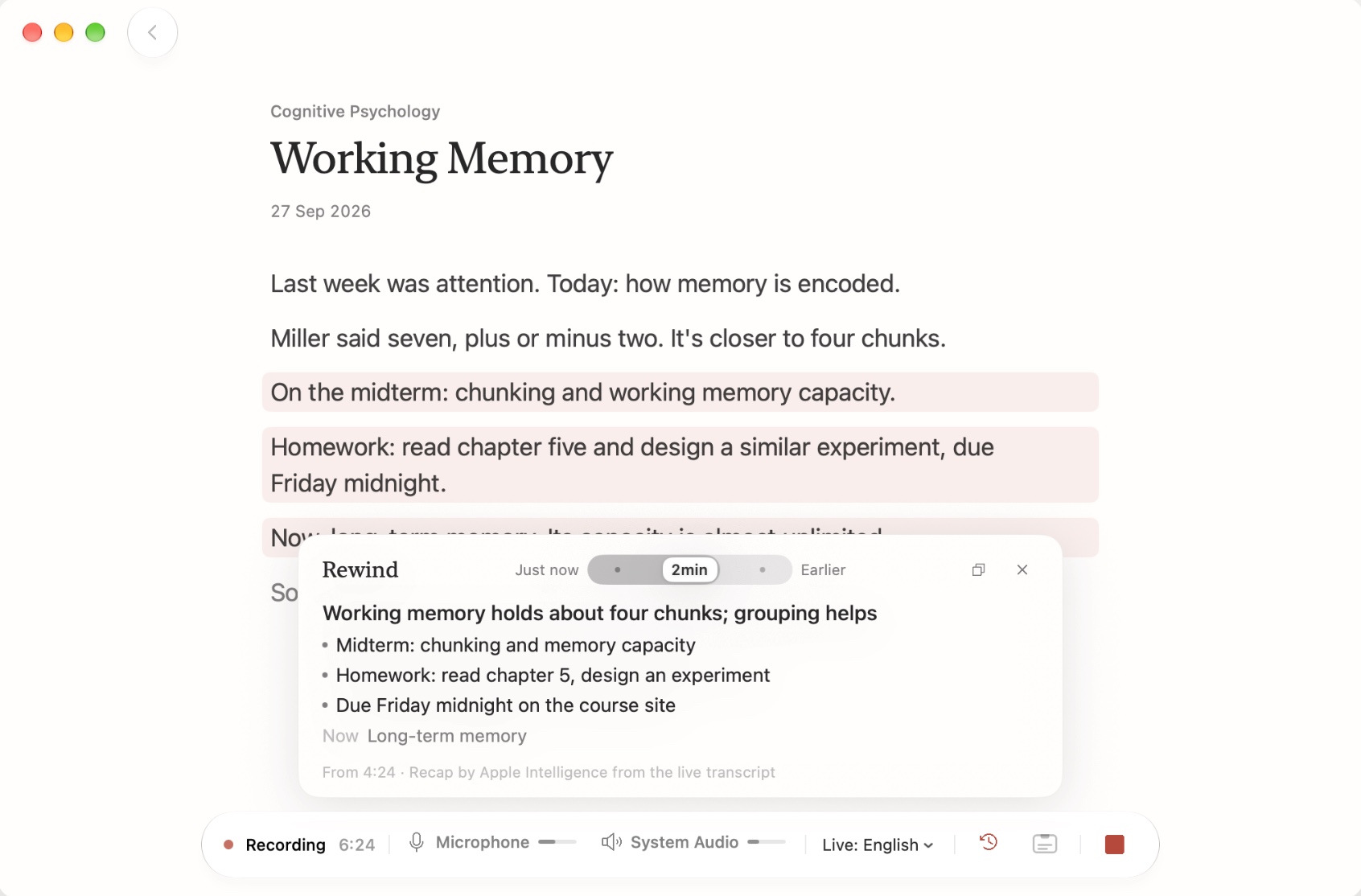
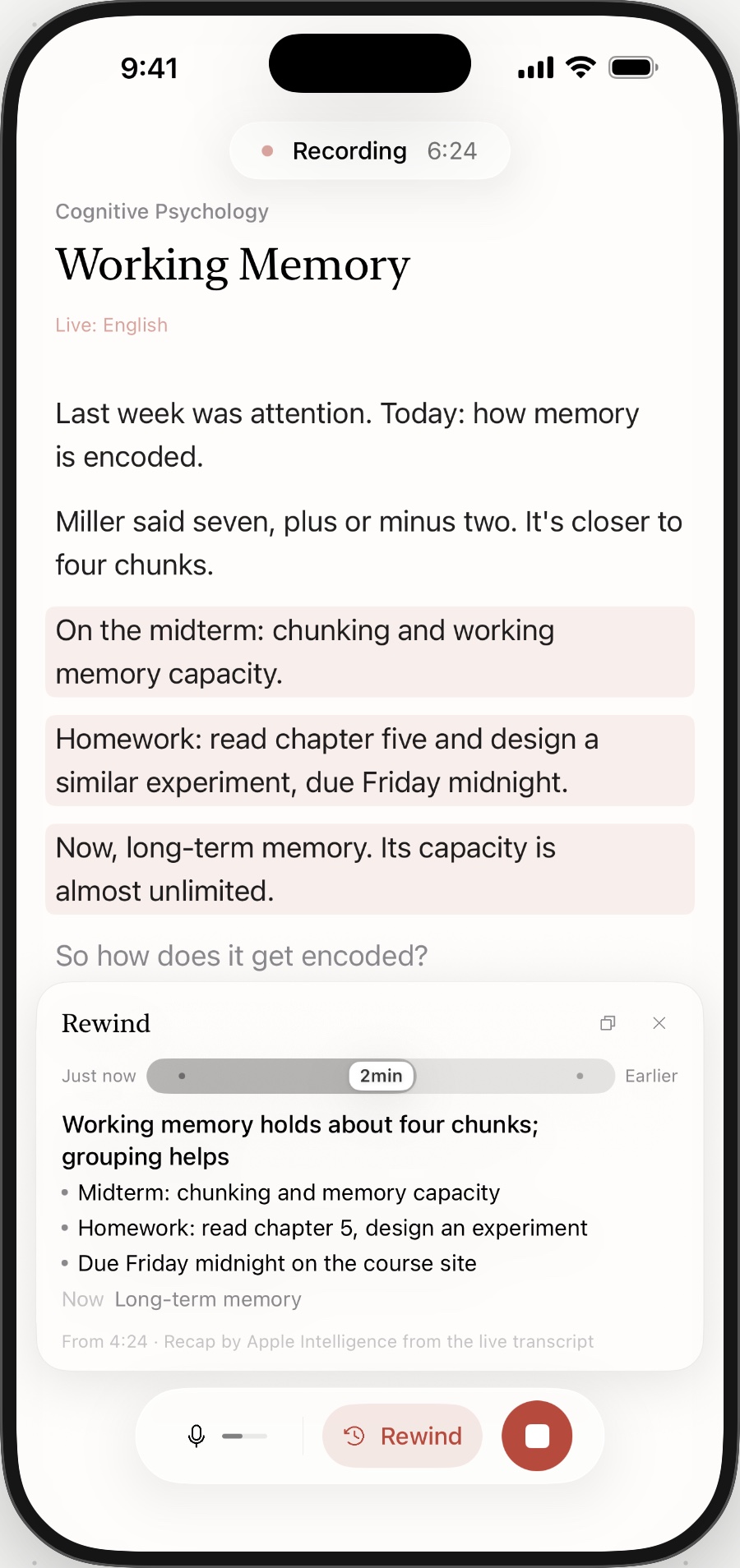
Aside on Mac recording a lecture, with Rewind showing a recap of the last two minutesAside on iPhone with the same recording and Rewind open
Live transcription

Words as they’re spoken

Press Record and the transcript follows along. On Mac, your microphone and your Mac’s audio are recorded together, so calls, classes and podcasts all work — tuck the window away and live captions stay under the notch. On iPhone, recording keeps going on the Lock Screen, with the timer in the Dynamic Island.

Rewind

Zoned out? Rewind

Press Rewind — or its shortcut on Mac — to see what was said in the last 1, 2 or 5 minutes. With Apple Intelligence, you get a one-line recap, the points worth noting, and where the talk is now.

Refine & summaries

Sharper after you stop

Refine re-transcribes the whole recording with an on-device model, spelling names and terms the way your project’s hotwords do. When you stop, Apple Intelligence writes a summary with key points and to-dos.

Privacy

Stays on your device

Transcription, refining and summaries all run on your Mac or iPhone. Recordings and text are never uploaded. There’s no account, and Aside collects no data.

Requirements

  • Mac with Apple silicon, macOS 26 or later
  • iPhone with iOS 26 or later
  • Live transcription in English and Chinese; Refine detects the language on its own
  • Summaries and Rewind recaps need Apple Intelligence (not available in every country or region)